Menu
Free Video skillTalking Head15–60 sec

Talking Head Overlay (Feed)

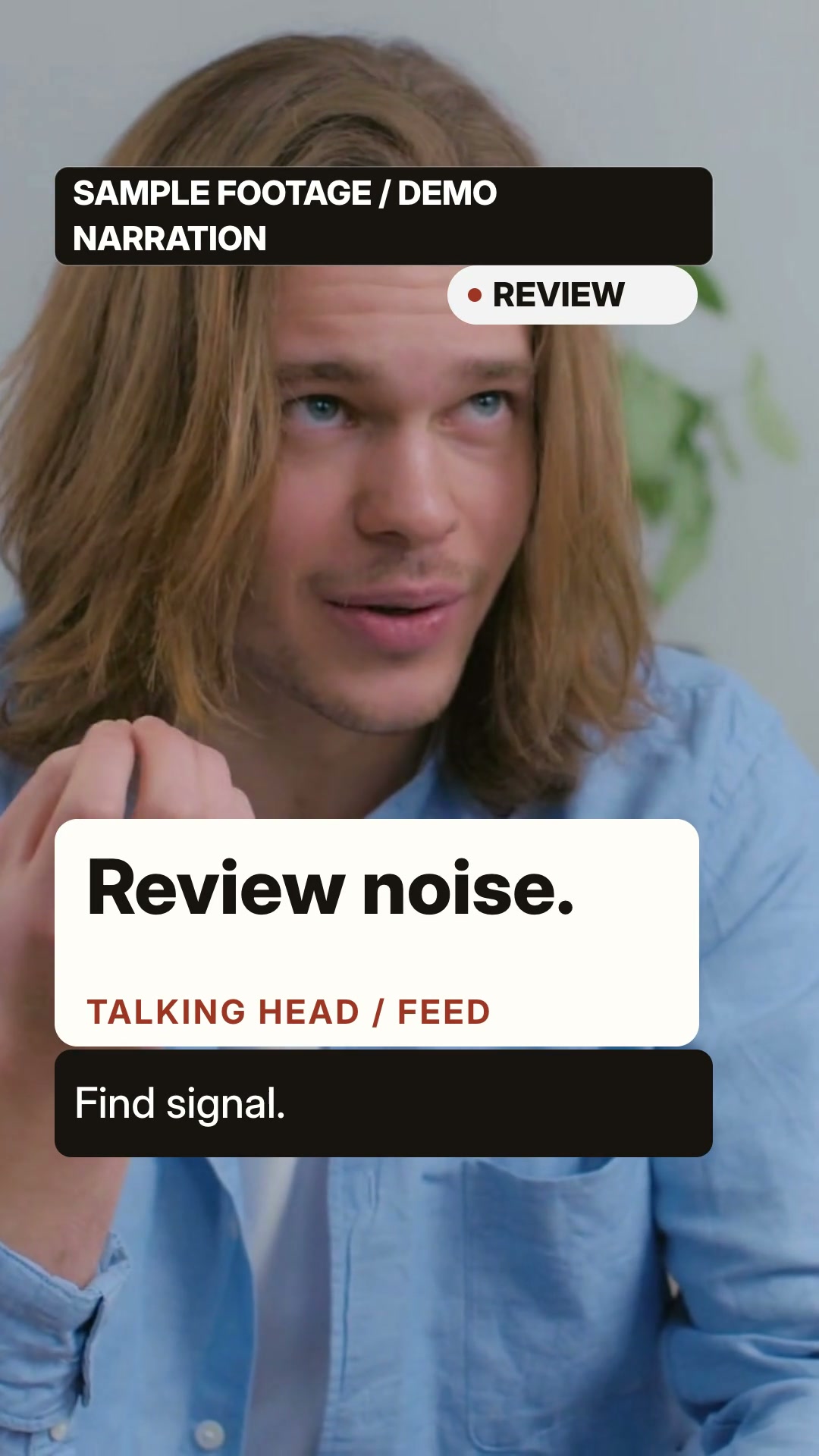
Vertical talking-head overlays keep a rights-cleared speaker visible while nameplate, stat, keyword, chapter and corner cues land on speech beats.

A/B: 15s six-beat talking-head overlays with synthesized Kokoro narration; SHVETS/Pexels sample carries SAMPLE FOOTAGE / DEMO NARRATION, with no person quote or endorsement. 9:16 · 0:15

What you get

  • 1080×1920 / 30 fps MP4 (15–60 s), cover.jpg, captions.srt and layout.json measured from the real DOM/SVG
  • Real speaker footage remains the main visual; overlays use the source's nameplate, stat card, keyword, chapter and corner-badge syntax
  • Local Kokoro English narration with burned captions; no stock person, AI avatar or paid generation bundled
  • Scene-level editing: change one overlay line and only that scene re-renders
  • MIT source credit, font OFL notice and an explicit input-media rights boundary

You will need

  • One regular local rights-cleared speaker video at least as long as each example scene timeline
  • macOS with Node.js 22+, FFmpeg and FFprobe
  • HyperFrames 0.8.181 and headless Chrome
  • A local Kokoro environment for the default English voice

Good fit

  • Interviews, vlogs, creator explainers and product opinions with a real speaker
  • Short scripts where one stat, keyword or chapter cue should land on a spoken beat
  • Creators who already own a vertical or crop-safe talking-head clip

Not for

  • No-footage briefs, invented presenters, AI avatars or static placeholder cards
  • Unlicensed stock footage, third-party watermarked clips or claims that need on-screen evidence
  • Long interviews with dense transcripts or more than twelve visible words per scene

You say

“Use Talking Head Overlay (Feed) with a rights-cleared real speaker video. Provide a topic, 3–6 beats and speaker label; the Skill keeps the speaker as the visual anchor and adds restrained nameplate, stat, keyword, chapter and corner overlays with local Kokoro narration and burned captions.”

After installing, say something like this to your agent with your own topic and assets. It asks only for what is missing.

FAQ

Do I need an account?

No. Copy the install prompt into your agent, or download the free ZIP.

What does it cost to run?

The Skill is free. It needs the tools listed under “You will need”. Any voice, model or media service you choose bills you directly; FeedSkills does not include provider credits.

Can I use the videos commercially?

Videos you make are yours to use, including commercially. The Skill package is licensed as: Source available · Huashu Motion talking-head grammar MIT · bundled font SIL OFL 1.1. Fonts, music, footage and services you add keep their own terms.

Which agents does it work with?

Agents that read SKILL.md files, such as Codex or Claude Code. What FeedSkills has actually tested is listed under Tested scope below.

Tested scope

Version
0.1.2
Acceptance
This version has a recorded acceptance entry.
Tested
Source binding, A/B/edit renders, FFprobe, full decode, audio windows, motion checks and package checks passed with HyperFrames 0.8.181. The public A/B demo is independently edited Pexels sample footage with a permanent SAMPLE FOOTAGE / DEMO NARRATION label; raw stock is not distributed.
Runs on
Claude Code · Codex · macOS · Node.js 22+ · FFmpeg
License
Source available · Huashu Motion talking-head grammar MIT · bundled font SIL OFL 1.1

Details

Demo notice

The public A/B examples are independently edited Skill demonstrations using a Pexels clip by SHVETS production (source). The video permanently displays SAMPLE FOOTAGE / DEMO NARRATION; the synthesized narration is not the person’s speech, and the person has no FeedSkills participation, quote, testimonial, or endorsement. This release does not claim a separate model release. The raw stock clip, extracted frames, and standalone stock asset are not distributed. Any future advertising, testimonial, or removal of this disclaimer needs fresh rights review.

What this is

Talking Head Overlay (Feed) keeps a rights-cleared real speaker visible while nameplates, stat cards, keyword plates, chapter cues, and corner badges land on speech beats. It does not invent a presenter or replace the speaker with an avatar.

Inputs and outputs

Provide a local speaker video that you are allowed to use, a topic, 3–6 beats, and a speaker label. The Skill produces an editable project, a 1080×1920 MP4, cover image, burned captions, captions.srt, measured layout.json, and a render report.

A/B preview
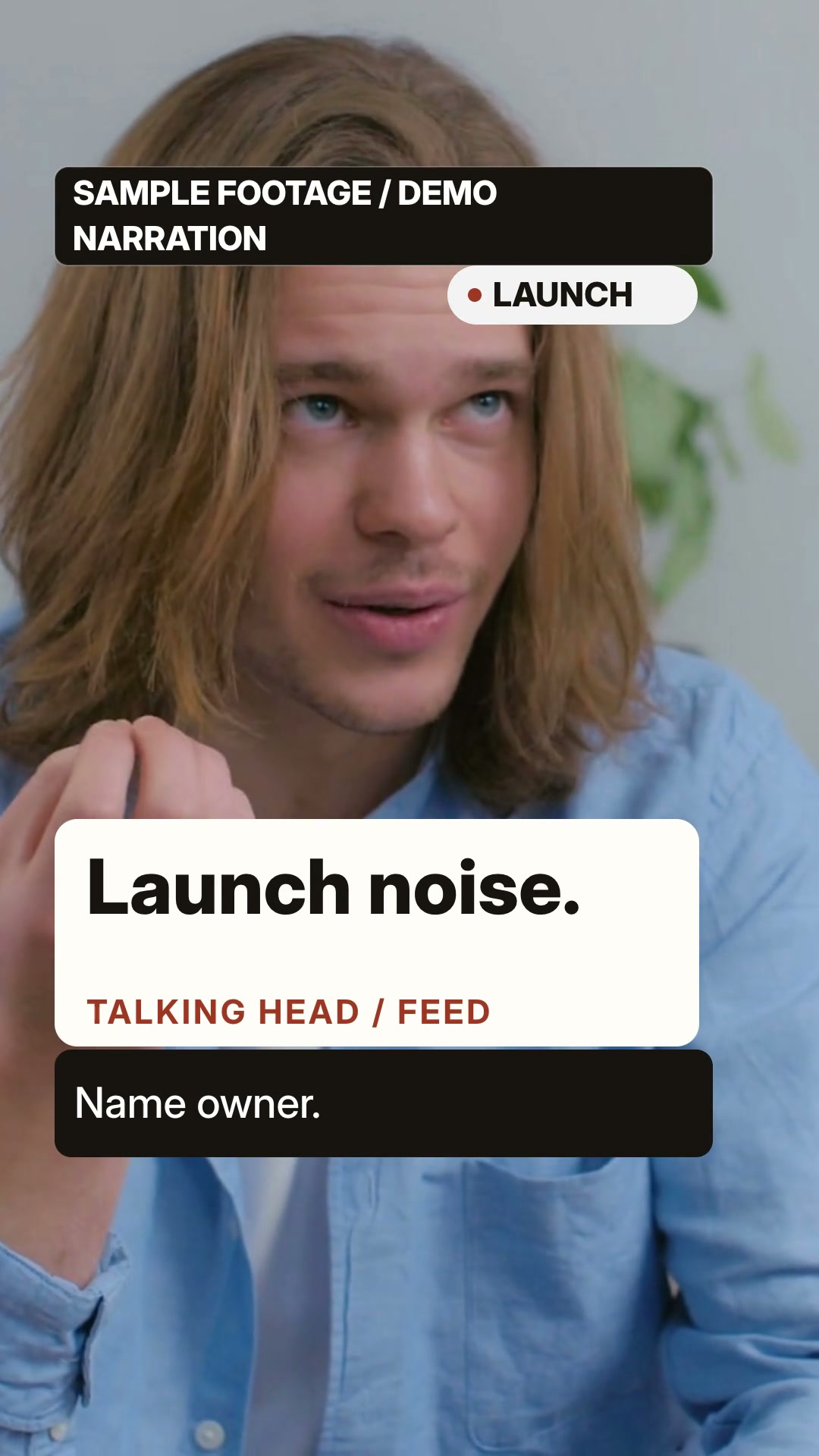
The current A/B video and cover are 15-second, six-beat generated compositions with synthesized Kokoro narration under the Pexels terms, with the sample and non-endorsement boundary kept visible. The public examples contain only the edited A/B outputs and captions; it does not contain the original clip or extracted stock frames.

Runtime and dependencies

Use Node.js 22+, FFmpeg/FFprobe, HyperFrames 0.8.181 with headless Chrome, and a local Kokoro environment. Bring your own footage and confirm its licence; FeedSkills does not bundle stock media, credentials, AI presenters, or paid generation.

Source and license

The overlay grammar is adapted from Huashu Motion, pinned to commit 5f2608c2e12abcf518f74dde86093b19f7f88603, under MIT. The bundled Inter font is SIL OFL 1.1. Read THIRD_PARTY_NOTICES.md before distributing a project.

Access boundary

This page describes the reusable workflow, not rights to any example person or clip. A source clip must be yours or separately cleared, and any public release must preserve its terms and the speaker’s non-endorsement boundary.