Menu
Members Video skillAI tools and software explainers15–60 sec

Latency Trace Feed

Turn timestamped software events into a readable interval trace without inventing a benchmark.

Two 19.2-second English timestamp traces with derived intervals, plus a verified single-scene edit. 9:16 · 0:19

What you get

  • A real event track with timestamped cards
  • Intervals derived from input event times, not a decorative waveform
  • 1080×1920 / 30 fps video, burned captions, SRT and DOM-measured layout

You will need

  • Node.js 22+, FFmpeg/FFprobe and a browser
  • At least three ordered timestamped events
  • Local Kokoro or an explicit silent export

Good fit

  • Request traces
  • Build event timing
  • AI retrieval step intervals

Not for

  • Fake performance benchmarks
  • Decorative oscilloscopes
  • Unordered event lists

You say

“Use Latency Trace Feed when the brief contains timestamped events. Show the event times and calculate the intervals from them; never present an illustrative trace as a benchmark or measured improvement.”

After installing, say something like this to your agent with your own topic and assets. It asks only for what is missing.

FAQ

Do I need an account?

Yes. Members Skills install from a signed-in FeedSkills account with an active Founding Membership.

What does it cost to run?

The Skill is included with Founding Membership. It needs the tools listed under “You will need”. Any voice, model or media service you choose bills you directly; FeedSkills does not include provider credits.

Can I use the videos commercially?

Videos you make are yours to use, including commercially. The Skill package is licensed as: FeedSkills Source-Available License 1.0 · fonts SIL OFL 1.1. Fonts, music, footage and services you add keep their own terms.

Which agents does it work with?

Agents that read SKILL.md files, such as Codex or Claude Code. What FeedSkills has actually tested is listed under Tested scope below.

Tested scope

Version
0.1.0
Acceptance
This version has a recorded acceptance entry.
Tested
Two 19.2-second 1080x1920 / 30 fps English example films and one single-scene edit were rendered with burned captions, measured DOM layouts and full-stream checks; both themes recorded 18 passes, 1 warning and 0 fails. The edit rerendered s4 and reused the other five scenes with native-frame proof; package check/create and DOM guard passed. Real-phone review and customer adoption remain separate.
Runs on
Codex · macOS · Node.js 22+ · FFmpeg
License
FeedSkills Source-Available License 1.0 · fonts SIL OFL 1.1

Details

Latency Trace Feed

Latency Trace Feed is a Members Skill for turning ordered timestamped events into a readable interval trace. It calculates gaps from the supplied times and does not create a benchmark.

Reviewed A/B previews
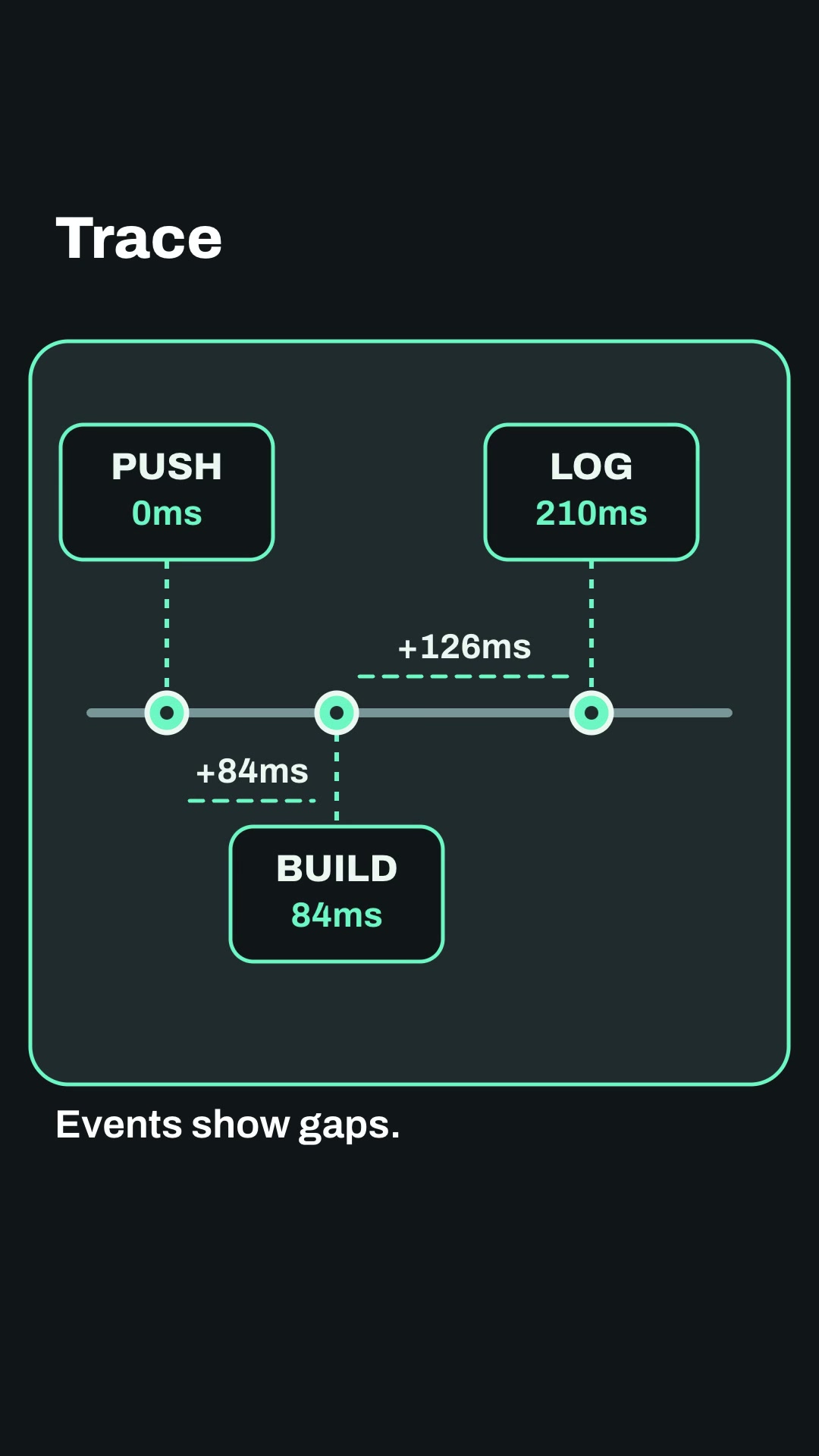
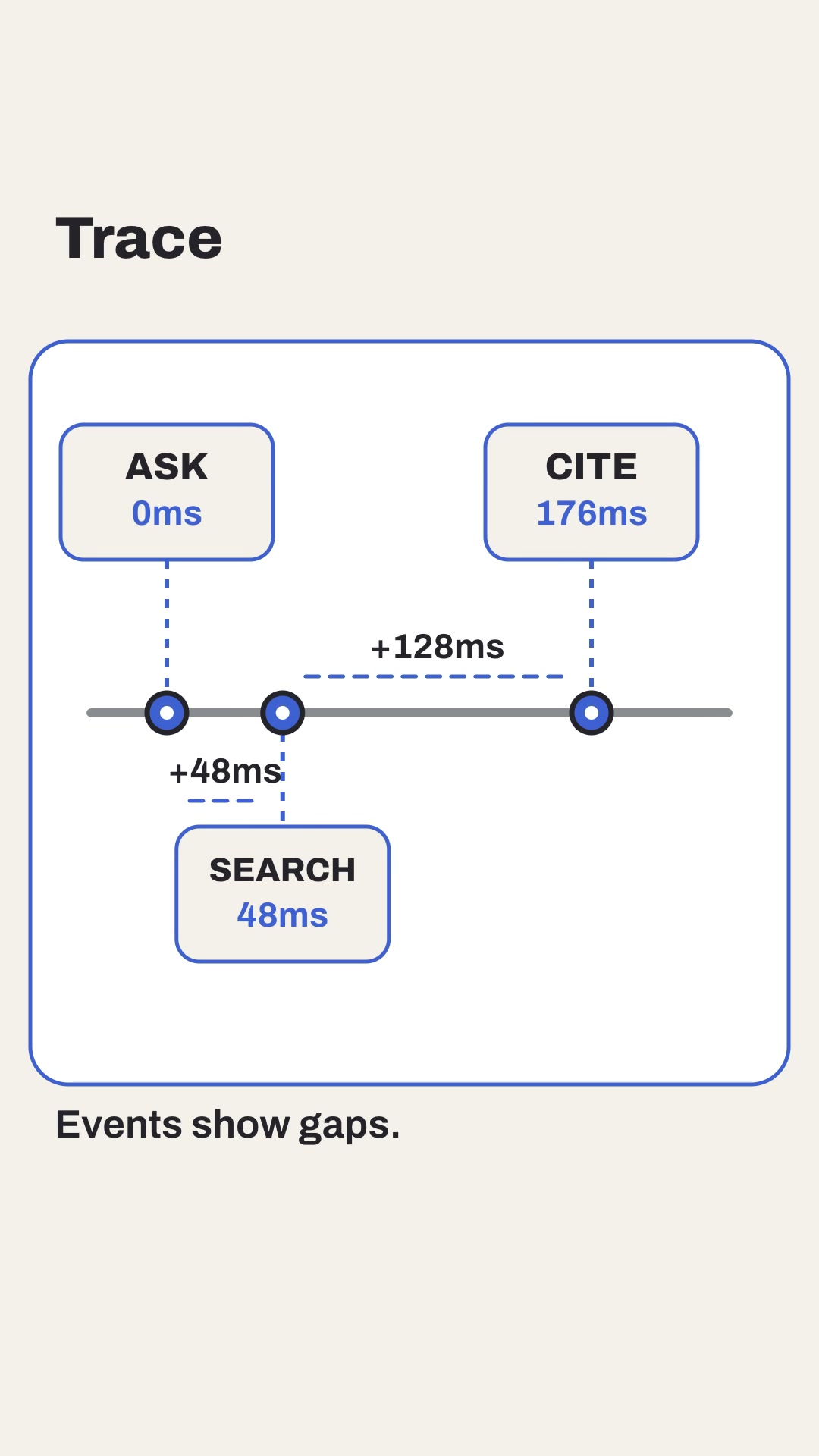
Both examples show event cards and derived intervals in a code-rendered English explainer with burned captions, SRT, measured layout and a local-edit path. Illustrative traces are not SLAs, load tests or evidence of faster software.

Install and use

Install the approved member package with:

npx --yes --package=https://feedskills.com/downloads/feedskills-0.3.6.tgz feedskills install latency-trace-feed --agent codex

Copy examples/theme-a.json or examples/theme-b.json into a project outside the installed Skill. Provide at least three ordered events with atMs values; the Skill derives each adjacent interval. Validate, create and render with the included scripts. Use local Kokoro for narration; node render.mjs --no-voice is an explicit silent export.

For a single-scene revision, keep event ids and order stable, edit one copied scene or timestamp, rerun the render and inspect render-report.json. Check the derived interval and compare native decoded frames for the five unchanged scenes.

Boundaries

Keep timestamps visible and disclose whether they are measured or illustrative in source notes and captions. Never replace event arithmetic with a decorative waveform or present an illustrative trace as a performance claim. No remote assets, paid media generation or external benchmark source is required.